
Understanding crt screen effect
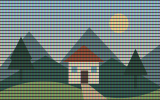
CRT styling suggests an older display using scan lines and screen artifacts.
Check small text after adding lines and label the treatment as a simulation.
A practical workflow
- Choose the required source files, if any. Files are handled as stated in the workspace privacy label.
- Set the available controls and apply the operation.
- Compare the actual output, check its dimensions and download the generated file.
Decisions and limitations
- No additional settings are required.
16 megapixels maximum. Artistic treatments are algorithmic approximations with adjustable settings. Exported PNGs are flattened. For two-image operations, the second image must match the first image dimensions.
Questions about this task
Where do I use the current tool?
Apply a deterministic image treatment to your uploaded pixels. These filters do not use an AI service.
What should I check for crt screen effect?
Check small text after adding lines and label the treatment as a simulation.
Which settings and formats are confirmed?
PNG. 16 megapixels maximum. Artistic treatments are algorithmic approximations with adjustable settings. Exported PNGs are flattened. For two-image operations, the second image must match the first image dimensions.