Show personality
Create little visuals with a distinct voice.
Small art with a lot of personality
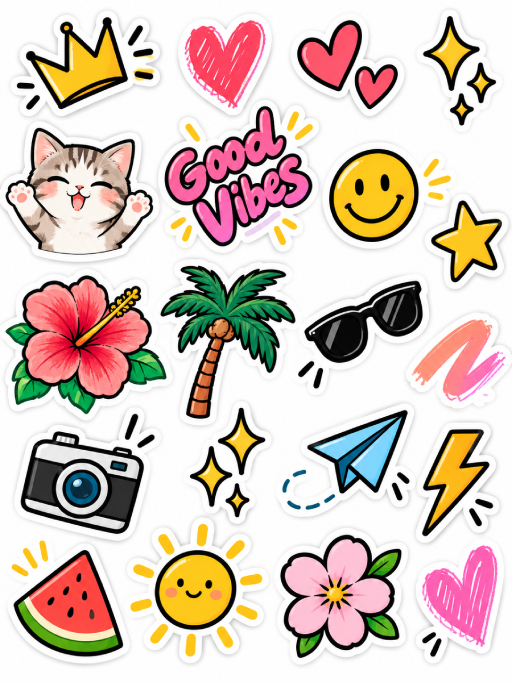
Turn a character, object, or idea into playful sticker artwork for chats, content, and creative projects.
The idea
The best stickers are easy to recognize at a glance. Give your subject a strong silhouette, an expressive detail, and a style that feels like you.
What you can do
Create little visuals with a distinct voice.
Give a collection a consistent palette and outline.
Use sticker artwork in messages, posts, and designs.
How it works
Choose a character, pet, object, or phrase.
Use readable shapes and strong contrast for small sizes.
Try new expressions and poses in the same visual style.
Made for your ideas
Good to know
Keep exploring
Sticker layout prepares a bold image with a clear boundary.
Leave a safe margin around the design if the result will be physically cut.
A visual layout does not verify attribution, licensing, official status or production suitability. Planned generators do not yet offer rendering or download controls.
Use the existing workspace on this page or follow its link to the current Photolisa workflow. This guide does not add new processing capabilities.
Leave a safe margin around the design if the result will be physically cut.
The current workspace determines the available inputs and settings. The guide describes concepts to review and does not expand the formats accepted by the existing tool.
Phone mockups place a screen image within a device shaped presentation.
AvailableVideo thumbnail design combines a clear subject with concise supporting text.
AvailableScreenshot presentation adds spacing, a frame or a background around an interface capture.
AvailableMonogram generation combines initials into a proposed visual mark.
In developmentShirt graphic generation develops artwork intended for a garment print.
In developmentSocial post mockups present a proposed image within an illustrative feed layout.
Available